ASUS Zenbook 14 OLED Price in Nepal (2026 Edition): The Ultimate Premium Ultrabook
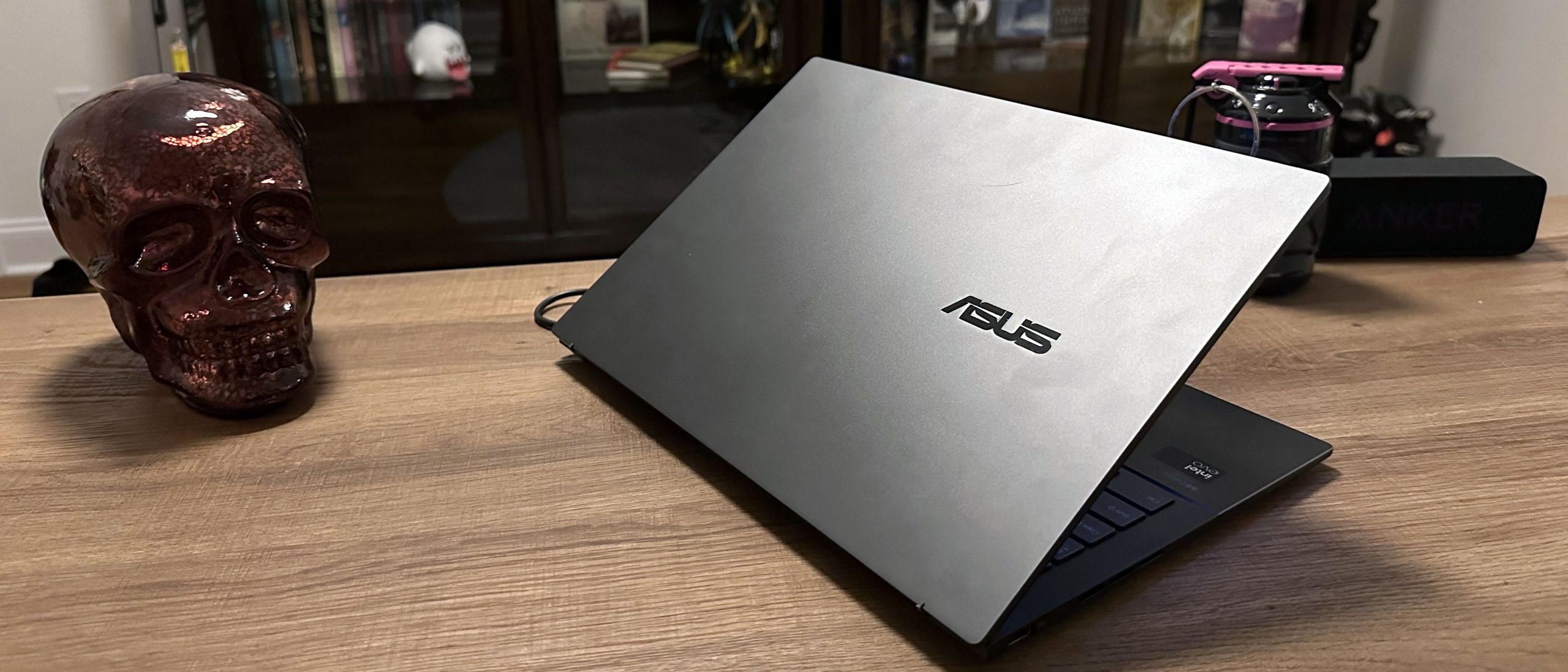
When it comes to thin, lightweight laptops that refuse to compromise on screen quality or battery efficiency, the ASUS Zenbook 14 OLED leads the market in Nepal. Combining military-grade durability with ultra-vivid ASUS Lumina OLED panels and the latest neural-powered processors (Intel Core Ultra and AMD Ryzen AI), it has become the top pick for executives, programmers, creative pros, and university students across the country.
Below is an updated breakdown of the current market pricing in Nepal, detailed specifications, performance comparisons, and key purchasing tips.
ASUS Zenbook 14 OLED Price in Nepal & Available Variants
Prices for the ASUS Zenbook 14 OLED in Nepal start around NPR 151,111 for entry-level Ultra 5 models and scale up to NPR 250,000+ for maxed-out Core Ultra 9 or high-end Ryzen AI variants.
| Model Variant | Core Specs (Processor / RAM / SSD) | Display | Estimated Price (NPR) |
| Zenbook 14 OLED (UX3405CA) | Intel Core Ultra 5 225H / 16GB / 512GB Gen4 | 14″ WUXGA OLED Touch (60Hz) | NPR 151,111 – NPR 169,999 |
| Zenbook 14 OLED (UM3406KA) | AMD Ryzen AI 5 340 / 16GB / 512GB Gen4 | 14″ WQXGA OLED (120Hz) | NPR 155,000 – NPR 165,000 |
| Zenbook 14 OLED (UX3405CA) | Intel Core Ultra 7 255H / 16GB / 512GB Gen4 | 14″ WUXGA OLED Touch (60Hz) | NPR 184,999 – NPR 194,999 |
| Zenbook 14 OLED (UM3406KA) | AMD Ryzen AI 7 350 / 16GB / 1TB Gen4 | 14″ 3K OLED (120Hz) | NPR 185,000 – NPR 219,900 |
| Zenbook 14 OLED (UM3406GA) | AMD Ryzen AI 7 445 / 16GB / 512GB Gen4 | 14″ WUXGA OLED Touch | NPR 209,999 – NPR 230,000 |
| Zenbook 14 OLED (UX3405CA) | Intel Core Ultra 9 285H / 32GB / 1TB Gen4 | 14″ 3K / WUXGA OLED Touch | NPR 214,999 – NPR 250,000 |
Note: Prices fluctuate based on custom import taxes, store warranties, and seasonal promotional offers from authorized tech retailers in Kathmandu.
Detailed Features & Review Breakdown
1. Premium Build & Portability
Weighing just 1.2 kg to 1.28 kg with a slim profile under 15 mm, the Zenbook 14 is built for life on the move. Its MIL-STD-810H military-grade aluminum chassis ensures structural rigidity against accidental bumps and daily commutes.
2. Stunning ASUS Lumina OLED Display
The star feature is the 16:10 ASUS Lumina OLED panel. Delivering 100% DCI-P3 color gamut coverage, Deep True Black HDR 500 certification, and peak brightness up to 500–600 nits, it produces deep contrast levels that traditional IPS LCD screens simply cannot match. Higher-tier variants feature a 3K (2880×1800) 120Hz smooth refresh rate panel with optional touchscreen support.
3. Next-Gen AI Performance (Intel vs. AMD)
-
Intel Core Ultra Series: Equipped with integrated Intel Arc graphics and a dedicated Intel AI Boost NPU. It handles background AI tasks, video background blurs, and light gaming smoothly while providing dual Thunderbolt 4 ports.
-
AMD Ryzen AI Series: Features built-in Radeon Graphics and AMD’s XDNA NPU architecture. Known for offering slightly higher multi-core performance and exceptional thermal/energy efficiency.
4. All-Day Battery & Complete I/O Suite
Despite its ultra-thin chassis, ASUS packs a substantial 75Wh battery that realistically provides 8 to 11 hours of web browsing and video playback under normal power settings.
Unlike many competitors that drop traditional ports, the Zenbook 14 retains:
-
2x USB-C (Thunderbolt 4 or USB4)
-
1x USB 3.2 Gen 1 Type-A
-
1x Full-sized HDMI 2.1
-
1x 3.5mm Headphone/Mic Combo Audio Jack
How to Check & Buy an Official Zenbook 14 in Nepal
Pros & Cons
| Pros | Cons |
| Exceptional 14″ 3K/WUXGA OLED display with 100% DCI-P3 | Soldered LPDDR5X RAM (cannot be upgraded later) |
| Class-leading battery runtime (75Wh capacity) | OLED screens require auto-dimming to prevent burn-in over long static use |
| Premium military-certified aluminum build (1.2 kg) | Reflective glossy screen finish in bright outdoor light |
| Full port selection including HDMI 2.1 & USB-A | Slightly pricier than standard plastic Vivobook alternatives |
Frequently Asked Questions (FAQs)
1. Is the RAM upgradeable on the ASUS Zenbook 14 OLED?
No, the LPDDR5X RAM is soldered directly onto the motherboard to maintain the thin profile and maximize battery efficiency. If you plan on heavy multitasking, photo editing, or virtual machines, buy the 16GB or 32GB model upfront.
2. Is OLED screen burn-in a major problem on Zenbook laptops?
ASUS includes software-level ASUS OLED Care tools (such as pixel refresh, subtle screen shifting, and dark mode defaults) that practically eliminate the risk of burn-in during everyday use.
3. Can I charge the laptop using a power bank?
Yes! The laptop supports USB-C Power Delivery (PD). You can top it up using any compatible 65W+ USB-PD power bank or compact GaN charger.

Post Comment